

What if I told you that old blog post with no traffic could start bringing in clients again without you having to write a new article?
Sounds odd, I know. But with a good content refresh (plain old content recycling) you can recover rankings, gain visibility and save yourself hours of work.
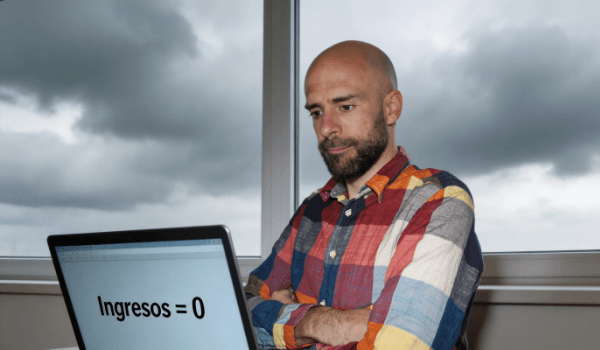
If you’re noticing a traffic drop, losing positions or wondering “what should I update first?” — breathe. Here’s a simple plan to audit, prioritise, update and relaunch posts sensibly. No jargon. With examples. And results-focused.
Introduction: Why did your traffic drop?
Over time, your articles become outdated. The way people search changes, powerful competitors appear and Google starts to prefer more recent and useful content. Add to that the fact that you may have two or three very similar posts competing for the same thing (that’s called keyword cannibalization), and the result is clear: fewer visits.
The good news: your content already did the hard work. It just needs a smart SEO update to compete again. It’s like giving a fresh coat of paint to a house with solid foundations.
Content audit (without overcomplicating it)
Before touching anything, take a snapshot of the current state. You don’t need fancy tools. A spreadsheet and your analytics data is enough.
Record for each article:
- Title and URL.
- Visits over the last 3–6 months.
- Main topics or keywords people use to find it.
- Date of last update.
- Goal of the post (visibility, leads, sales, authority).
Spot cannibalization easily: if you have several posts answering the same question (for example, “prices of X in 2025”), they’re probably stealing traffic from each other. Flag them for consolidation later.
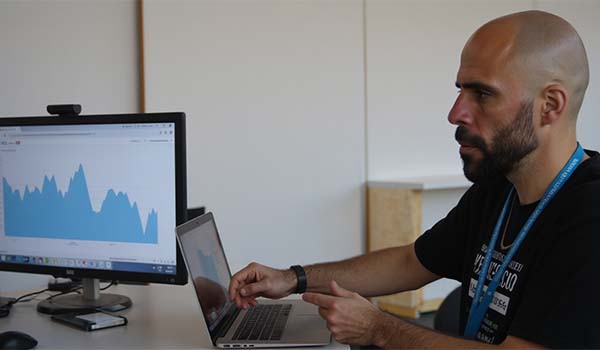
If you want to go deeper, you can check the Performance Report in Google Search Console to see queries and clicks by page. Here’s how it works: Official performance report guide.
Prioritisation by potential (what to update first)
Since you can’t do everything at once, focus on what can deliver quick results:
- Posts that ranked well and dropped (their foundation is solid).
- Articles already appearing on page 2 of Google (positions 11–20). With a nudge, they can jump to page 1.
- Business-driving topics: service pages, converting guides, comparisons or key product pages.
- Duplicate or very similar content (to consolidate and combine forces).
Quick tip: flag the 10 pieces with the highest potential. That’s your first refresh sprint. Better to make focused progress than try to fix everything at once.
How to update and improve (step by step)
Think of your post as a flat you’re showing to potential clients. What matters is that whoever comes in finds exactly what they’re looking for, quickly and clearly. Do this:
- Rewrite the introduction to promise the solution in a few lines. No beating around the bush.
- Add the questions your client is asking today. New examples, current figures and recent screenshots.
- Structure the content with clear subheadings. If a section runs long, split it.
- Simplify. Cut the filler and overly technical sentences. Use plain language.
- Include a mini “how-to” with steps or a checklist. People love actionable guides.
- Improve the title: make it specific and benefit-focused. If the current year fits, add it.
- Update images and add one or two new ones if they aid understanding.
- Link internally to your services (web design, maintenance, automations, applied AI, etc.) and to other relevant posts.
- Reinforce intent: if the goal is to capture leads, include a clear CTA within the post.
And of course, don’t forget the part “visible” to Google: this is the SEO update. Touch the title and meta description to make them more appealing, add natural synonyms for the topic and answer FAQs within the content. You don’t need to obsess over the “exact keyword”; covering the topic well matters more.
Consolidation and redirects: goodbye cannibalization
If you have two or three articles about the same thing, pick the best one as the “main piece”, blend in what’s useful from the others and publish the result at the strongest URL. Give the others a redirect (the classic 301). It’s like putting up a “we’ve moved” sign that takes readers (and Google) to the new page.
Why? To consolidate strength into a single piece of content and stop Google getting confused by multiple pages competing for the same thing.
Extra tip: if an old post receives links from other sites, try to keep that URL as the main one and redirect the rest to it. You preserve its “autority”.
Relaunch and promotion: make the refresh count
You’ve done the work — now it’s time to tell people. Think of the post relaunch like a film premiere:
- Change the update date so it looks fresh (if your CMS allows it and the change is genuine).
- Send the post in your newsletter with a clear subject: “Updated for 2025: [benefit]”.
- Publish 2–3 versions on social media: a carousel with tips, a short video with the before/after and a summary post.
- If you run ads, put a small boost behind the updated version.
- Automate gentle repeats: remind people about it in 2–4 weeks from a different angle.
Post-update measurement: did it work?
Set your baseline (visits, impressions and clicks over the last 4–8 weeks). After the refresh, monitor for 2 to 6 weeks:
- Impressions and clicks in Search Console.
- Average positions by query.
- Time on page and bounce rate (are people staying?).
- Conversions: leads, subscriptions, bookings, sales.
If the post gains impressions but not clicks, revisit the title and description. If it gains clicks but doesn’t convert, improve the CTA or add a practical section that encourages the next step.
Quick content refresh checklist
- Identify 10 pieces with potential (recent drops, page 2, business topics).
- Check for cannibalization and decide the main piece.
- Update the introduction, data, examples and structure.
- Improve titles, subheadings and calls to action.
- Add useful internal links and remove redundant content.
- Consolidate and apply redirects where needed.
- Post relaunch: newsletter + social media + optional ad boost.
- Measure for 2–6 weeks and repeat what works.
No time? We’ll build the refresh plan for you
If your blog is outdated, you’re experiencing a loss of positions and don’t know where to start, we handle it. We audit your content, prioritise by potential and execute the content recycling with SEO updates, consolidation and redirects. If you need it, we combine this with automations, web design or maintenance, custom WordPress plugin development, website rental, AI to speed up tasks and social media advertising for the relaunch. All designed to help you recover traffic and clients without writing from scratch.
Comments
Be the first to comment on this post.